

IPTV for Apple TV 2026 — Best Apps & Setup
IPTV for Apple TV 2026 — Best Apps & Setup
Watch IPTV for Apple TV 2026 — Best Apps & Setup on LoadIPTV. Best IPTV for Apple TV in 2026Apple TV 4K is an excellent IPTV device in 2026 with.
Best IPTV for Apple TV in 2026
Apple TV 4K is an excellent IPTV device in 2026 with support for 4K HDR and Dolby Vision. LoadIPTV works on Apple TV via several tvOS-compatible IPTV apps.
Best IPTV Apps for Apple TV
- IPTV IPTV Smarters Pro Pro — Available on tvOS. Supports M3U playlist and Xtream Codes.
- Flex IPTV — Lightweight tvOS app for M3U playlists.
- Infuse 7 — Premium video player with M3U IPTV support for Apple TV.
Setup on Apple TV
- Open the App Store on your Apple TV.
- Search for and install IPTV Smarters Pro.
- Enter your LoadIPTV M3U URL or Xtream Codes.
- Start streaming 24,000+ channels on your Apple TV 4K.
Try LoadIPTV free for 24 hours on Apple TV.
Ready to start streaming? View LoadIPTV plans starting from $16/month, or try the free 24-hour trial with no credit card required.
tvOS Version Requirements
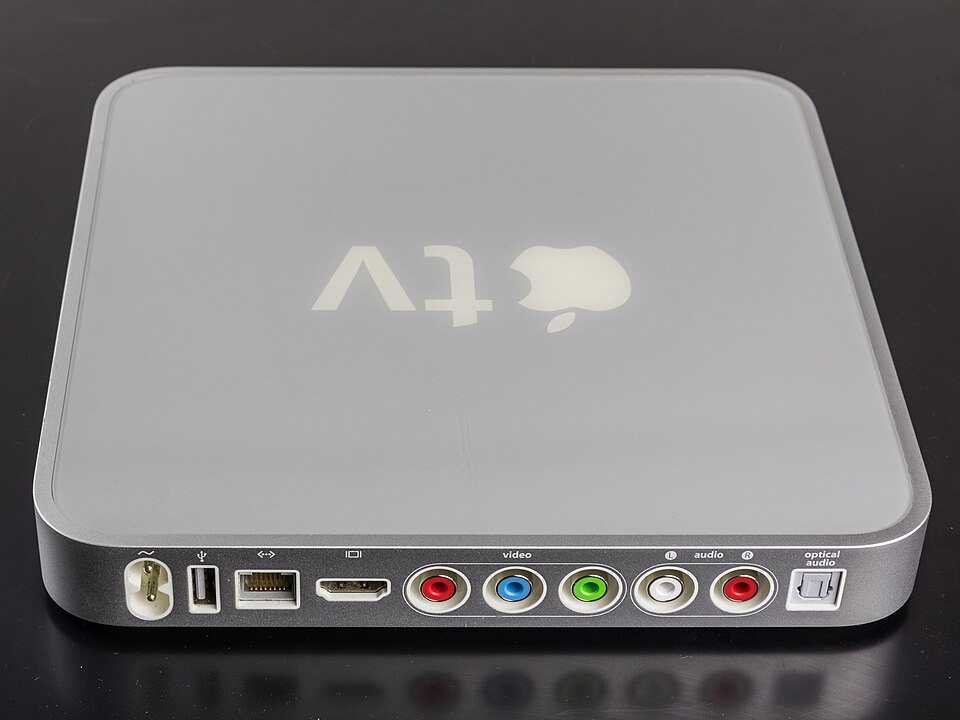
LoadIPTV-compatible apps like IPTV Smarters Pro and Infuse 7 require tvOS 15 or later, which any Apple TV HD (2015) or Apple TV 4K (2017/2021/2022) can run. If you are on an original Apple TV (3rd generation or earlier), none of the current IPTV apps are compatible — that hardware maxes out at tvOS 7 and cannot install modern apps from the App Store.
Infuse 7 vs IPTV Smarters Pro on Apple TV
IPTV Smarters Pro is built specifically for IPTV playlists and Xtream Codes, with a live TV grid EPG layout. Infuse 7 is a general-purpose media player that also happens to support M3U IPTV playlists well, with better metadata scraping for VOD content (posters, descriptions) but a less IPTV-focused live TV interface. If your priority is live channel surfing, IPTV Smarters Pro’s guide view is easier to navigate; if you care more about a polished VOD library experience, Infuse 7’s interface is more refined.
Troubleshooting Apple TV IPTV Playback
Apple TV’s hardware decoder handles H.264 and HEVC (H.265) natively in 4K, which covers the vast majority of IPTV streams. If a specific channel stutters while others play smoothly, the source stream itself is likely using a codec or bitrate combination the Apple TV struggles with — trying an alternate app (switching from IPTV Smarters Pro to Flex IPTV, for example) sometimes resolves it since each app handles buffering differently.
Related Guides
- Best IPTV 2026 — #1 Rated IPTV Service of the Year
- Free IPTV Trial: 24 Hours Full Access, No Card Needed
- LoadIPTV Plans 2026: Pricing from $16/Month
Frequently Asked Questions
Can I try LoadIPTV before subscribing?
Yes. LoadIPTV offers a 24-hour free trial with no credit card required.
How many devices can I use with LoadIPTV?
From 1 to 4 simultaneous connections, depending on your plan.
Is there a long-term contract?
No. Plans are month-to-month and can be cancelled anytime.
What if I’m not satisfied after subscribing?
LoadIPTV offers a 7-day money-back guarantee.
Ready to Start Streaming?
LoadIPTV includes 24,000+ live channels, 120,000+ VOD titles, 4K quality and 24/7 support on every plan. Try it free for 24 hours (no credit card) or see plans from $16/month — backed by a 7-day money-back guarantee.

Written by
The LoadIPTV Editorial Team writes and maintains our setup guides, comparisons, and country-specific channel guides. We test configurations ourselves before publishing and update articles when devices, apps, or pricing change. We do not claim formal lab-testing infrastructure – our guides are based on direct hands-on use of the service and publicly verifiable information about devices and apps.
282 guides published on LoadIPTV · Our editorial methodology
🔍 Focus keyword: iptv apple tv 2026
🌟 Start Streaming with LoadIPTV
Get access to 24,000+ live channels and 120,000+ VODs in 4K from just $16/month.