

IPTV Buffering Fix 2026 — How to Stop Buffering on IPTV
IPTV Buffering Fix 2026 — How to Stop Buffering on IPTV
Fix IPTV buffering fast: speed requirements, wired connection, cache, quality settings and player choice. 7 practical fixes. LoadIPTV from $16/mo.
IPTV buffering is the most common problem reported by users in 2026. The good news is that most buffering issues are easy to fix. LoadIPTV uses anti-freeze streaming technology to minimize buffering, but here are additional steps if you experience issues.
How to Fix IPTV Buffering
- Check your internet speed (10 Mbps for HD, 25 Mbps for 4K)
- Use a wired Ethernet connection instead of WiFi
- Restart your router and streaming device
- Clear your IPTV app’s cache
- Lower the stream quality temporarily (e.g. 4K to HD)
- Switch to a closer server location
- Use a player with good hardware decoding, like TiviMate
1. Check Your Internet Speed
For stable IPTV streaming you need: SD 5 Mbps, HD 10 Mbps, FHD 20 Mbps, 4K 25+ Mbps. Run a speed test at fast.com to check your current speed.
2. Use a Wired Connection
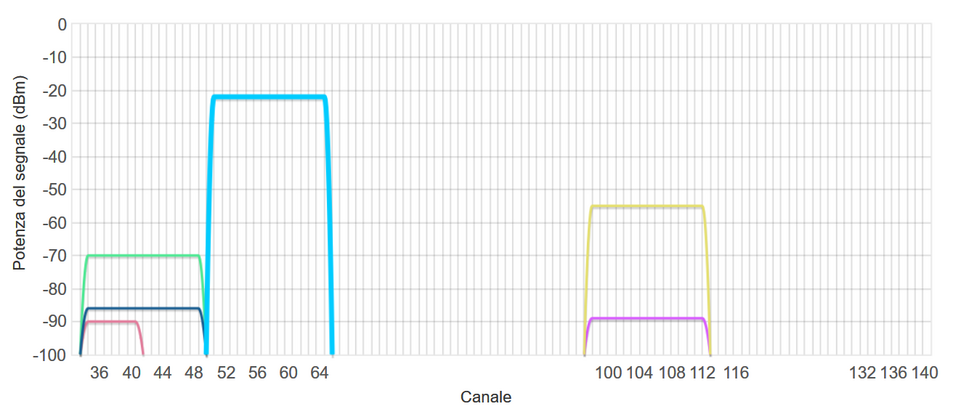
WiFi can cause intermittent buffering due to signal interference. If possible, connect your streaming device to your router via an Ethernet cable for the most stable connection.
3. Restart Your Router and Device
A simple restart often clears network congestion and resolves buffering. Unplug your router for 30 seconds, reconnect, then restart your streaming device. Restarting your router weekly as routine maintenance can prevent buffering before it starts.
4. Clear App Cache
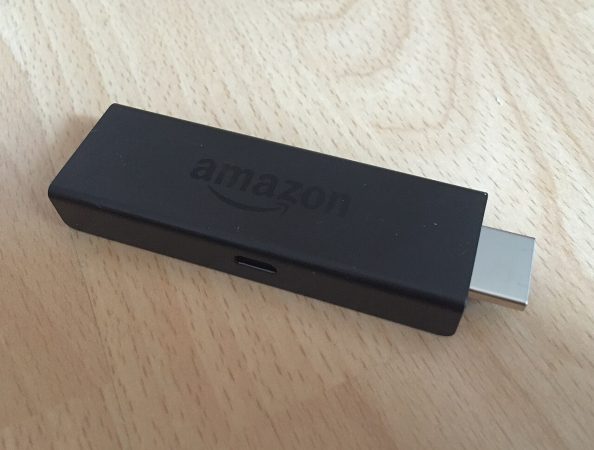
On installing IPTV on Firestick and Android: go to Settings then Apps then your IPTV app then Clear Cache. This frees memory and often improves performance. In apps that let you configure it, setting the buffer size to 10+ seconds also helps absorb brief network fluctuations.
5. Change the Stream Quality
If a 4K stream buffers, switch to FHD or HD in your IPTV player settings. LoadIPTV offers multiple quality options for every channel.
6. Choose a Closer Server
LoadIPTV operates multiple server locations. Contact support to switch to the server closest to your location for faster streams.
7. Use a Player with Good Hardware Decoding
TiviMate with its ExoPlayer engine generally gives smoother hardware-decoded playback than lower-end players, which can reduce buffering on older or budget devices.
If buffering persists, contact LoadIPTV support, available 24/7, for personal troubleshooting.
View LoadIPTV plans starting from $16/month, or try the free 24-hour trial with no credit card required.
Frequently Asked Questions
Why does my IPTV keep buffering?
The most common causes are insufficient internet speed, an unstable WiFi connection, or a full app cache. Work through the steps above in order to identify the specific cause.
What internet speed stops IPTV buffering?
At minimum 10 Mbps for HD and 25 Mbps for 4K. Faster and more stable connections reduce buffering significantly, especially during peak evening hours.
Does Ethernet really help with IPTV buffering?
Yes. A wired connection removes WiFi interference and signal drop-off, which are common causes of intermittent buffering, especially in homes with several connected devices.
Should I lower the stream quality if it keeps buffering?
Yes, temporarily. Switching from 4K to FHD or HD while troubleshooting your connection often resolves buffering immediately, since the lower bitrate needs less bandwidth.
Related Guides
Ready to Start Streaming?
LoadIPTV includes 24,000+ live channels, 120,000+ VOD titles, 4K quality and 24/7 support on every plan. Try it free for 24 hours (no credit card) or see plans from $16/month — backed by a 7-day money-back guarantee.

Written by
The LoadIPTV Editorial Team writes and maintains our setup guides, comparisons, and country-specific channel guides. We test configurations ourselves before publishing and update articles when devices, apps, or pricing change. We do not claim formal lab-testing infrastructure – our guides are based on direct hands-on use of the service and publicly verifiable information about devices and apps.
282 guides published on LoadIPTV · Our editorial methodology
🔍 Focus keyword: iptv buffering fix 2026
🌟 Start Streaming with LoadIPTV
Get access to 24,000+ live channels and 120,000+ VODs in 4K from just $16/month.
10 thoughts on “IPTV Buffering Fix 2026 — How to Stop Buffering on IPTV”